Construction quotes, with AI
From site visit to quote, without doing the work twice
Take photos, say what the client wants and only answer what the photos do not show. Recato prepares the work items, the measurements and the PDF for you to review.
15 days free · No credit card · Cancel whenever you like
- Recato included
- Measurements to confirm on site
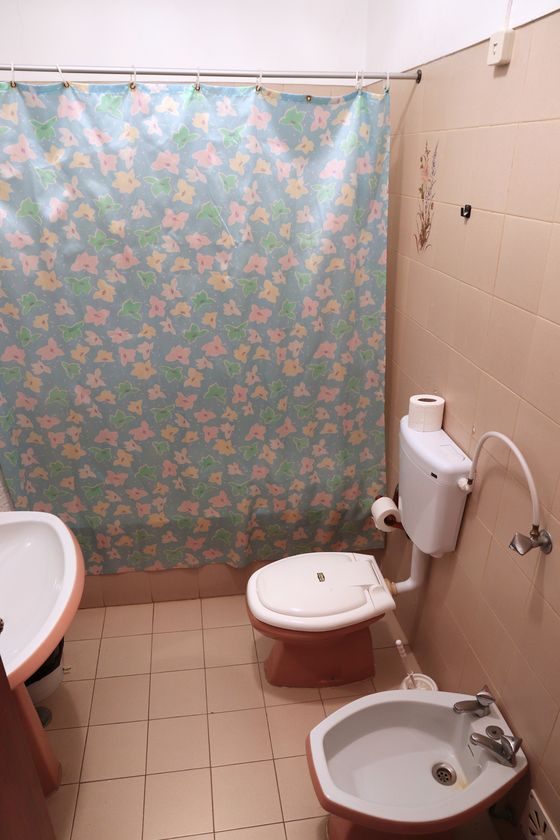
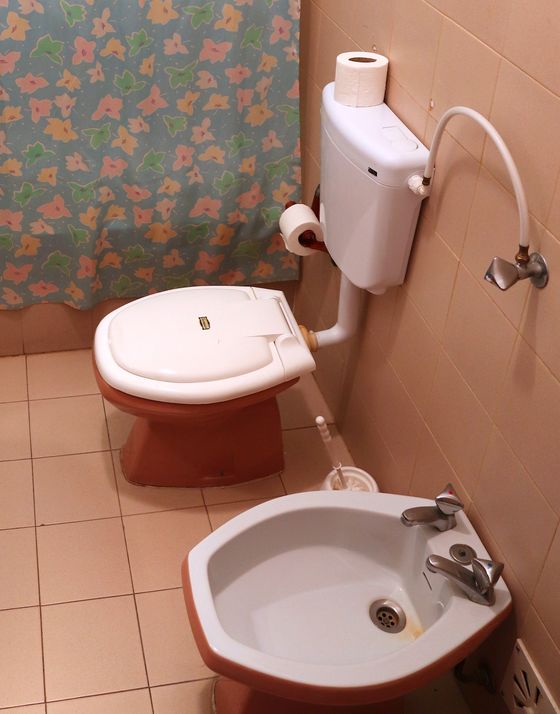
Floor ≈ 4.5 m², measured by the 15 × 15 cm floor tiles · photos 1 and 2
Photos: Marek Ślusarczyk (Tupungato), CC BY 3.0
From photo to proposal
Three steps, during the visit itself
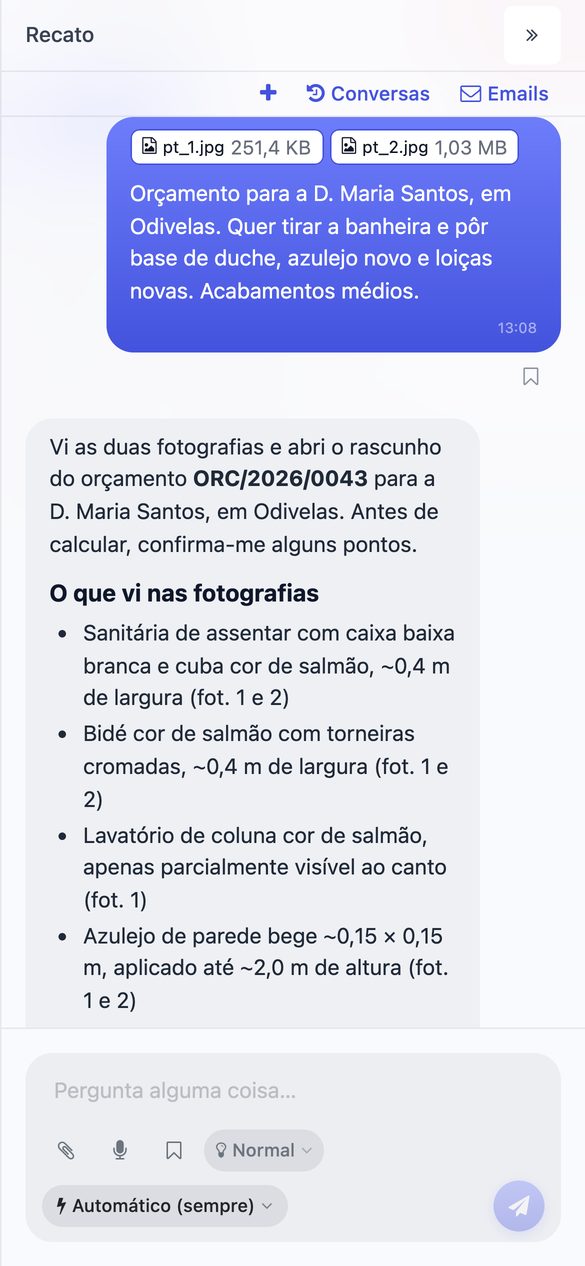
All on the phone, in the Recato bubble in Forsnaps. The quote is saved in Quotes › Quotes.
Photos: Marek Ślusarczyk (Tupungato), CC BY 3.0
01 · Attach and describe
Photos and one sentence
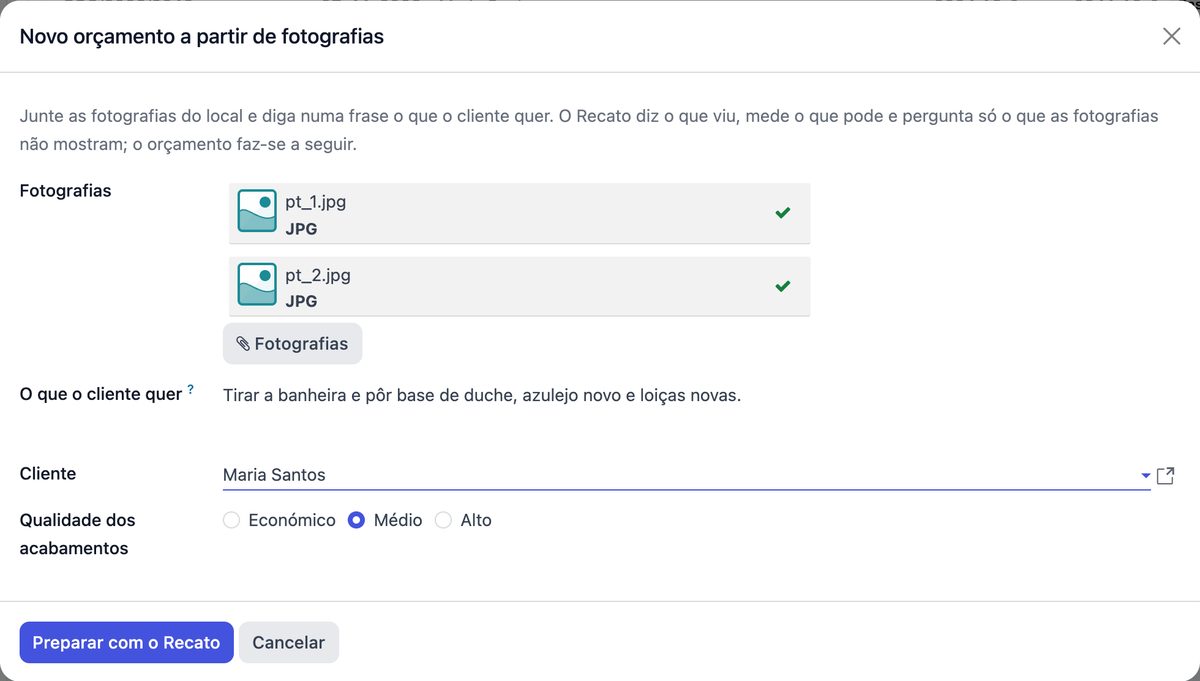
Attach up to 5 photos with the paperclip and say what the client wants, typed or dictated. No need to measure or fill in forms.
02 · Confirm what is missing
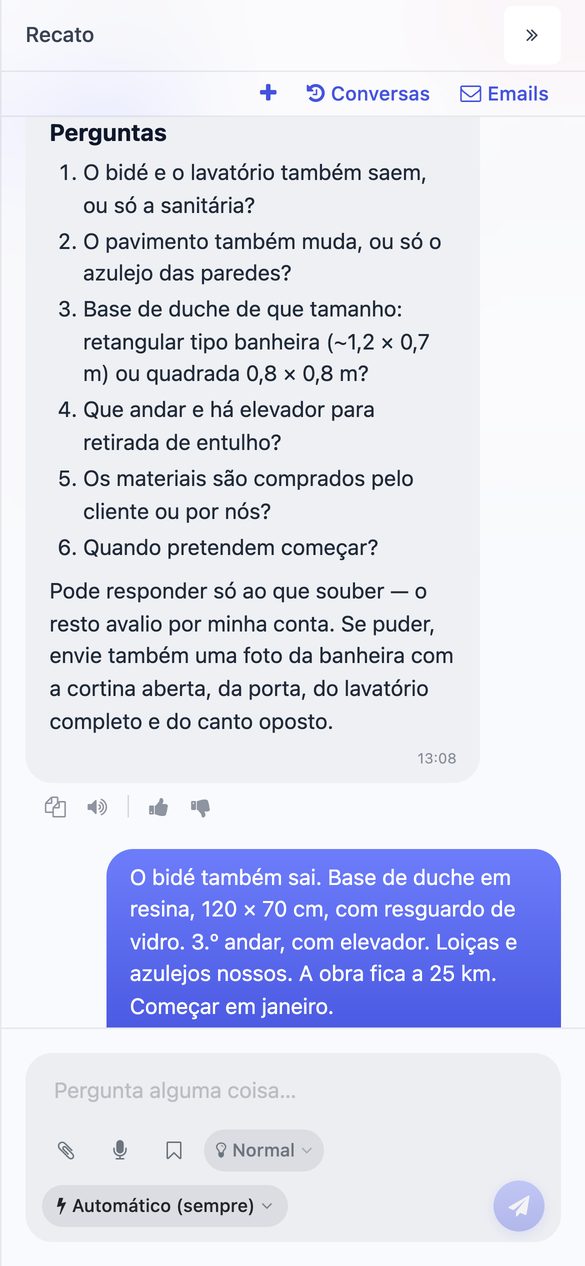
Recato looks and asks
It says which photo each thing came from and measures against doors, tiles and sanitary ware. It only asks what the photos do not show, such as which floor the home is on, who buys the materials or when to start, and waits for the answer.
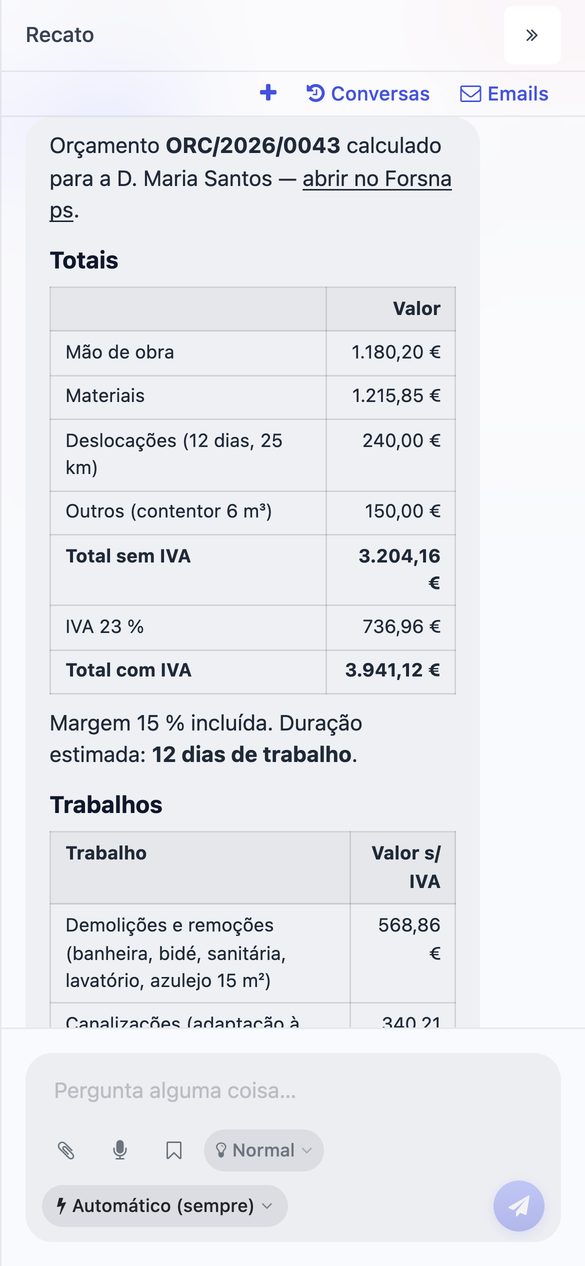
03 · Receive and review
Answer in one line
Answer only what you know. The quote comes out broken down into work items, with the totals excluding and including VAT and the list of what still needs confirming on site and with suppliers.
Review at the office
What the AI saw stays visible — and correctable
Every measurement and every line keeps its link to the photos it came from.
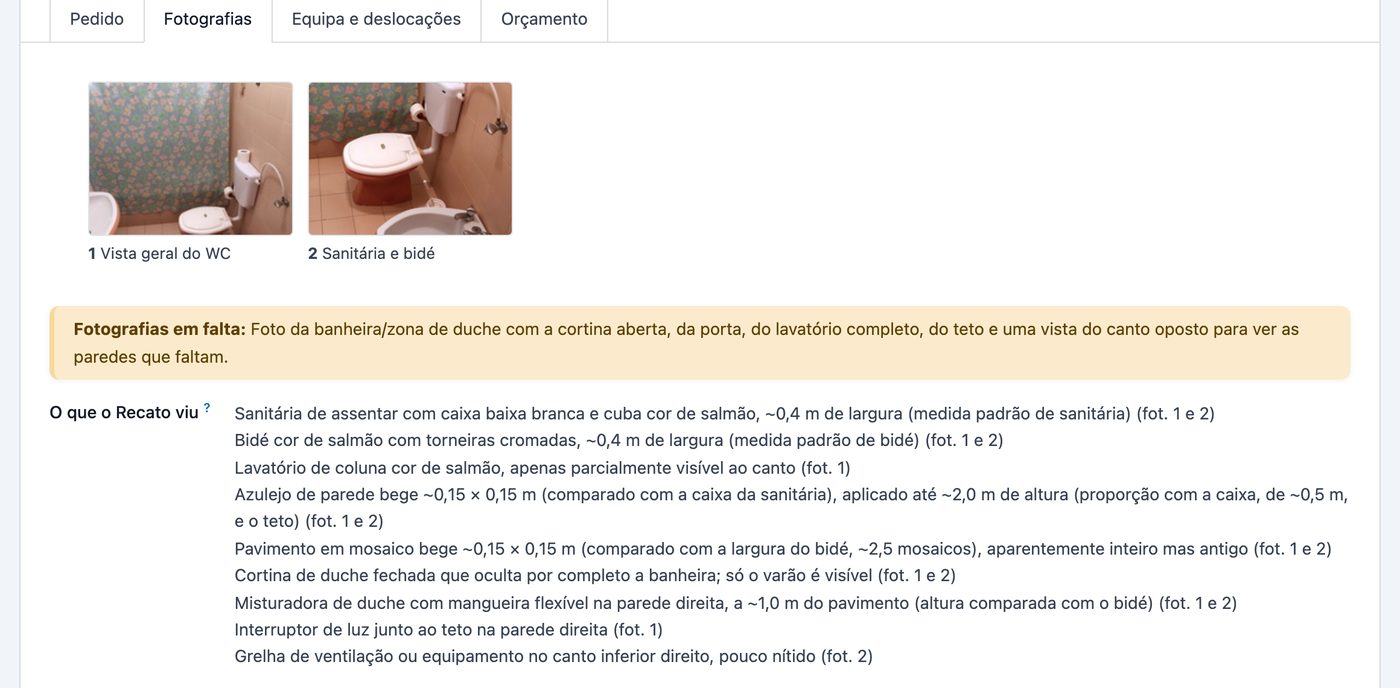
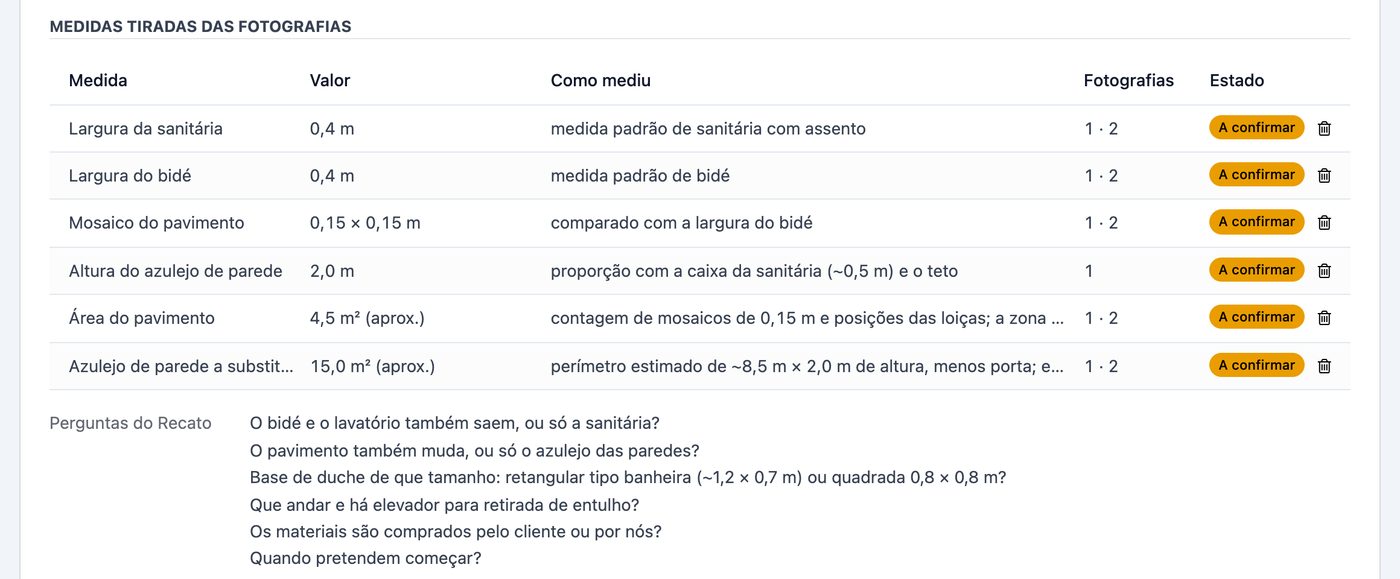
- Measurements to confirm. Those taken from the photos stay “To confirm” until someone confirms them on site. Correcting a measurement confirms it.
- Correct and redo. You can correct what Recato saw and click “Redo the quote with the corrections”.
- Where each line came from. The quote lines say which photo they came from and whether the quantity depends on a measurement still to confirm.
Also without the chat. The “New from photos” button, in Quotes › Quotes, opens this window.
Your company's figures
Recato proposes. Forsnaps does the sums.
Recato proposes the hours for each role, the materials and the work items. Costs, travel, margin and VAT are worked out by Forsnaps, with your company's own figures.
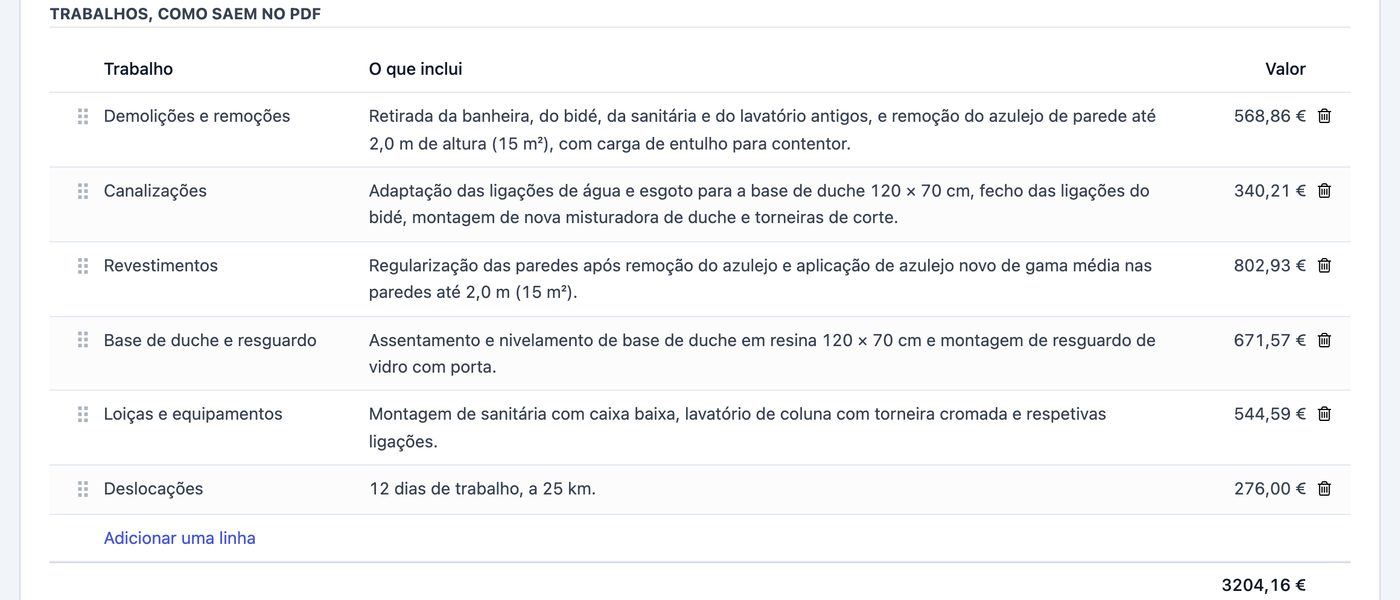

- Labour at the company's own costs. Each role has its hourly cost in the “Costs by role” table, which HR or the Company Manager confirm. The quote never shows anyone's salary, and salaries never go to the AI.
- Materials with a suggested price. Looked up in Portuguese shops and marked “Suggested by the AI” until you confirm it with your suppliers.
- Travel and margin. From the distance to the site, the working days and the margin of each quote.
- Only those who manage sites. Quotes belong to the Site Manager and the Company Manager. The Foreman does not make quotes.
Reduced rate — item 2.27
Why: renovation of the bathroom in the home where the client lives.
In this example, the client pays €375.05 in VAT instead of €692.02 (23% on everything).
There is also the standard rate, the reverse charge and the Madeira and Azores rates; a rate chosen by hand stays as it is.
The document for the client
Clear work items at the start. Current state at the end.
The PDF shows what each work item includes and its amount, without showing the internal figures.
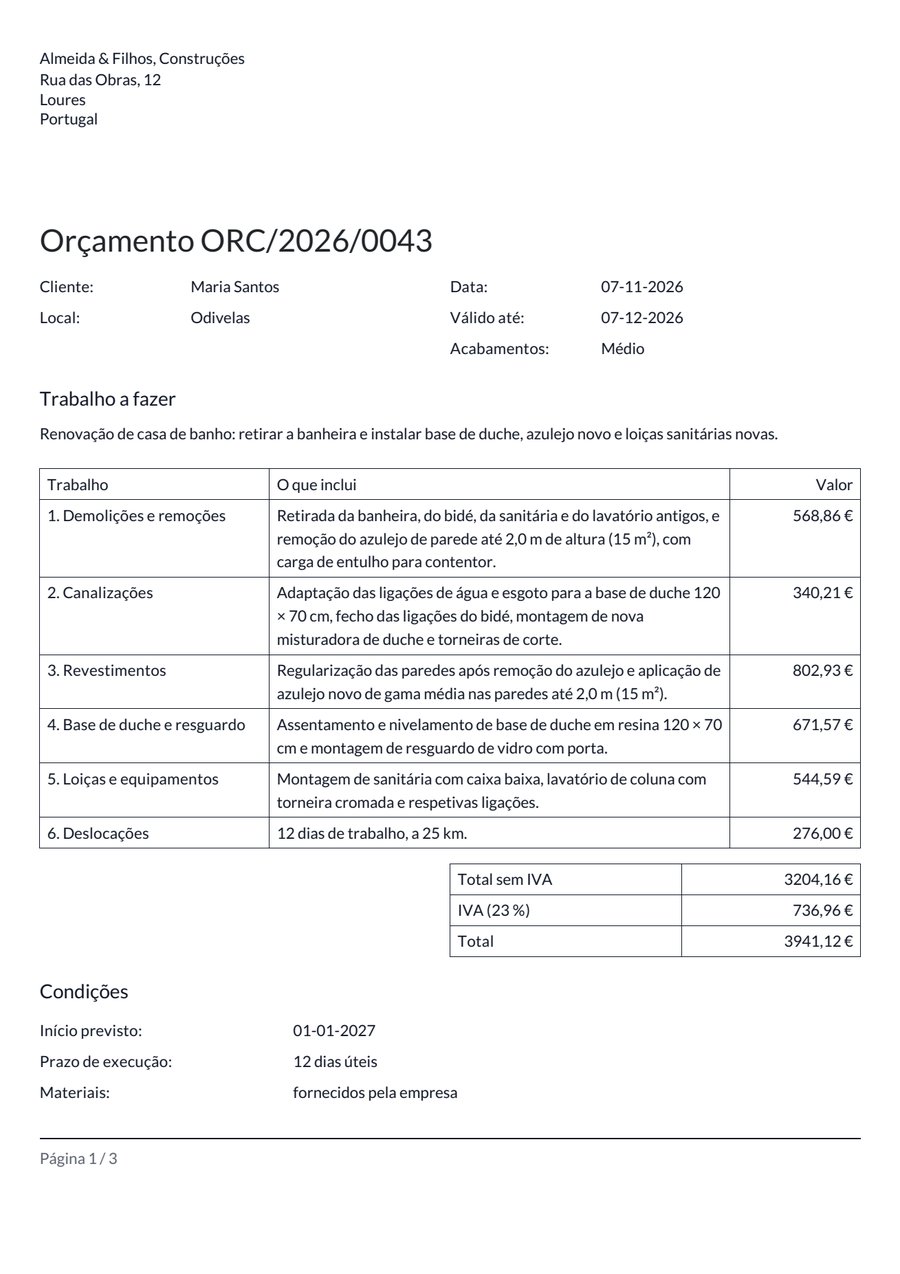
Page 1. Work items, totals including and excluding VAT, duration, start and materials.
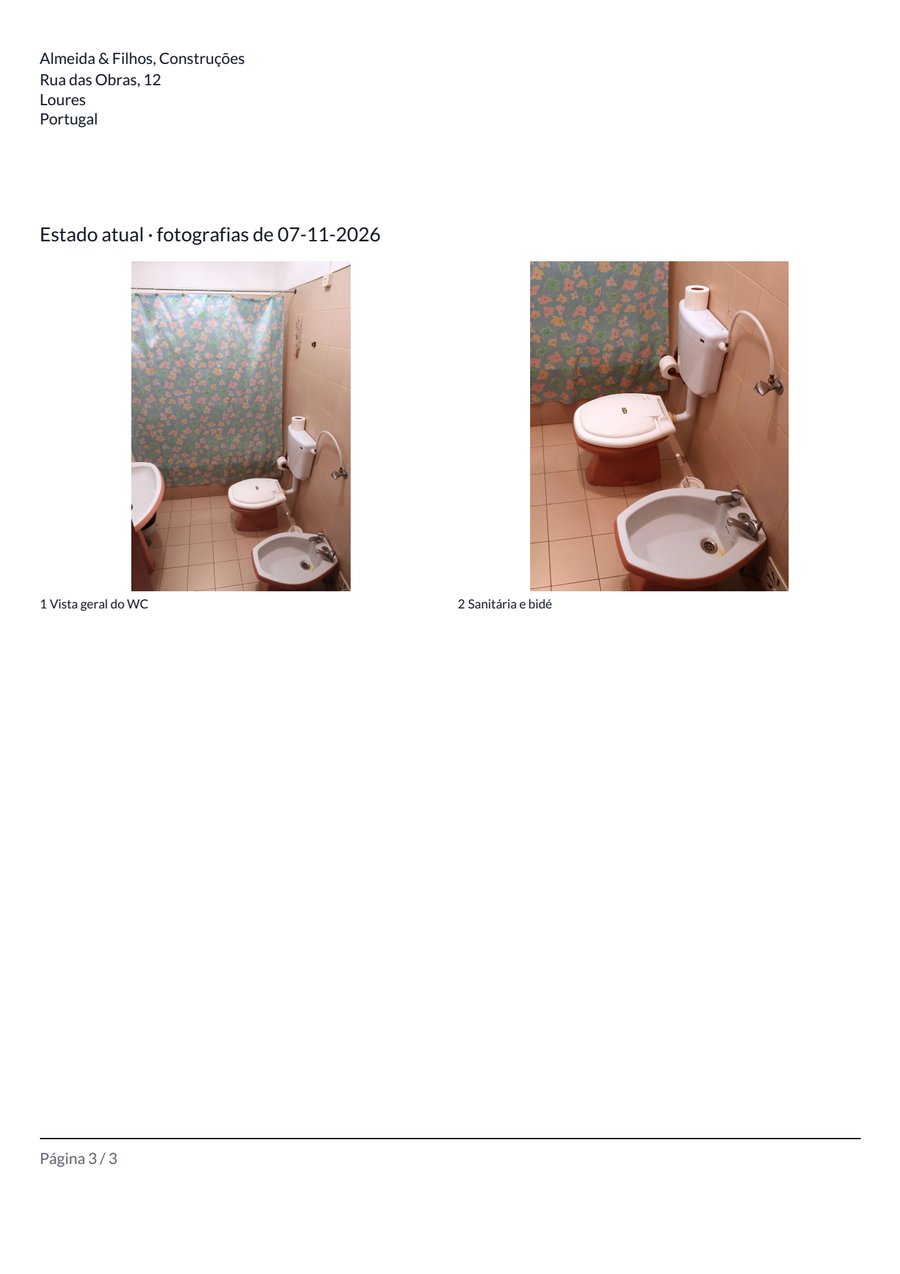
Last page. “Estado atual” (current state), with the photos numbered as in the quote.
Photos: Marek Ślusarczyk (Tupungato), CC BY 3.0
- No hours or costs. The client sees what each work item includes and its amount. They never see costs, margin, hours per role or the “Suggested by the AI” marks.
- Photos optional. The “Estado atual” (current state) page is included by default. You can leave it out of any quote with a tick.
- Measurements pending. While there are measurements still to confirm on site, the PDF terms say “Medições: a confirmar em obra” (measurements to be confirmed on site).
- Always in Portuguese. The PDF comes out in Portuguese, with Portuguese number formats, even if you use Forsnaps in English.
Down to earth
What the photos cannot tell you
Measurements are approximate
It measures against things of known size and always says what it based them on. The measurements are left to be confirmed on site.
What is inside the walls cannot be seen
Plumbing, wiring and the condition behind the tiles. Recato writes what it assumed in the quote summary.
Asbestos cannot be confirmed from a photo
When it sees a material that may contain it, it warns you. Removal is left to a certified company, as a separate job.
If a part is missing, it asks for more photos
In this page's example, the curtain hid the bathtub: Recato asked for a photo with the curtain open and assumed a 1.70 m bathtub.
Frequently asked questions
Before you try it
Does it work on the phone?
Yes. Recato is in the Forsnaps bubble, on the phone and on the computer. Photos are attached with the paperclip, up to 5 per message.
Does it cost extra?
No. It is included: what Recato uses counts against the company's AI balance, which comes with the plan.
Can I trust the material prices?
They are suggestions, looked up in Portuguese shops, and stay marked until you confirm them with your suppliers. Labour comes from your company's hourly costs.
What about VAT?
Recato picks the rate for each quote and says why: the standard rate, the reduced rate of item 2.27 for renovating homes people live in, or the reverse charge. If you choose it by hand, your choice stays.
Who can make quotes?
The Site Manager and the Company Manager. The Foreman and workers do not see quotes; if they ask Recato for one, it tells them that quotes are made by the Site Manager.
Where are the photos kept?
In the quote itself, in Forsnaps, with the data hosted in the European Union.

